Build and Ship Code with AI
Cody brings project-aware AI coding assistance into the Docyrus IDE. Generate, complete, edit, refactor, optimize, and debug application code alongside your files, terminal, Git, preview, APIs, and deployments.
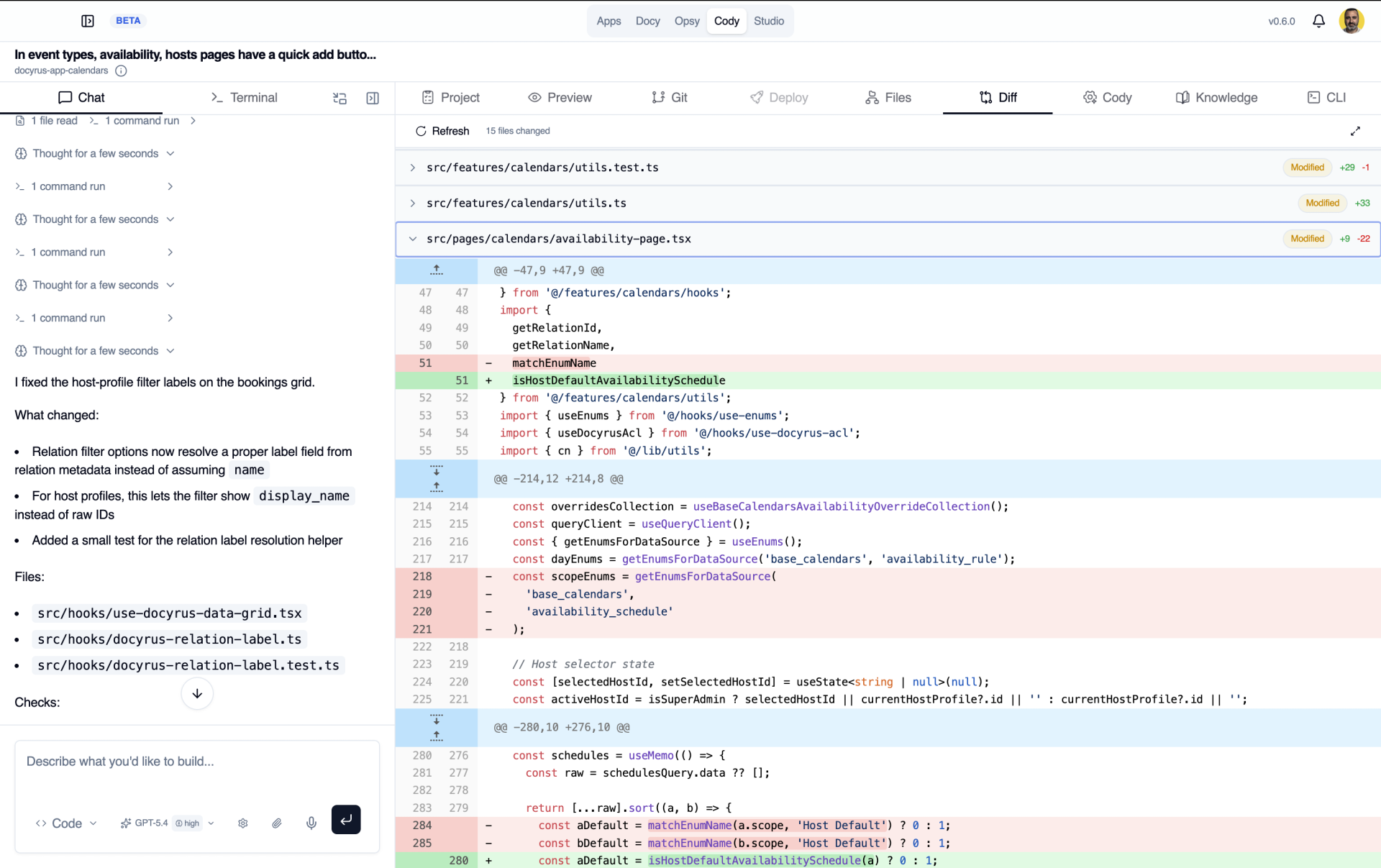
AI coding inside the IDE
Cody is Docyrus's built-in AI coding assistant, working right inside the Docyrus IDE, next to your code editor and project files instead of a separate browser tab. It gives you real-time coding assistance as you write, without breaking your flow.
Work from the full project context
Cody doesn't guess. Before it suggests or changes anything, it looks at the codebase context around it.
From a single completion to a project-wide change, Cody adjusts to the size of the task.
Detect and fix errors
When something breaks, Cody explains why in plain language before it changes anything.
How Cody helps you fix it
Cody flags the problem, explains what's happening in your code, and waits for your approval before touching anything.
TypeScript & build errors
Caught as they happen, not after a failed deploy.
Implementation issues
Logic problems Cody spots while reading your code, not just the compiler.
Contextual explanations
A plain-language reason for the error, tied to your actual code.
Suggested → approved fixes
Cody proposes a fix; nothing changes until you approve it.
Keep the development workflow connected
Plan, code, preview, test, version, and ship, without leaving the IDE.
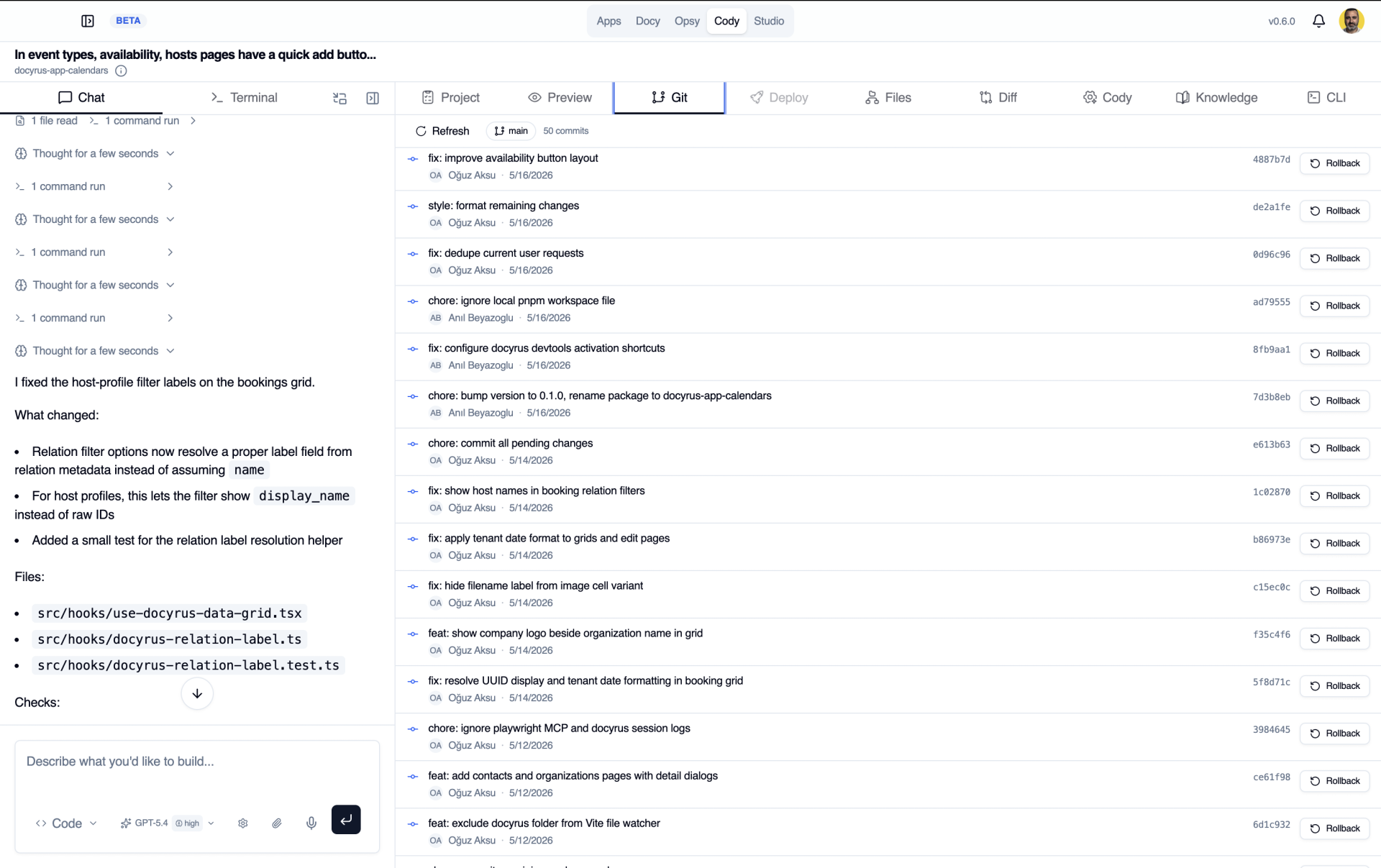
Start visually. Continue in code.
Start with generated pages, data, and workflows when speed matters. Move into the Docyrus IDE when you need deeper control. Cody keeps assisting as you work directly with the code.
Frequently asked questions about Docyrus AI Coding
What is Docyrus AI Coding?+
Docyrus AI Coding is the AI-assisted development experience inside the Docyrus IDE. Cody works with project and codebase context to help developers generate, complete, edit, refactor, optimize, and debug code.
Is Cody an AI coding assistant?+
Yes. Cody is the native AI coding assistant inside the Docyrus development environment.
Does Cody understand an existing codebase?+
Yes. Cody can use project context, active files, related files, existing components, and project conventions when suggesting or applying changes.
Does Cody support contextual code completion?+
Yes. Cody can provide contextual code completion and predictive coding suggestions based on the project you are working on.
Can Cody refactor or optimize existing code?+
Yes. Cody can refactor, simplify, and optimize existing implementations while keeping the surrounding project context.
Can Cody help fix errors?+
Yes. Cody can detect coding and build errors, explain the cause, suggest fixes, and apply approved changes.
Does AI coding work with Git and terminal workflows?+
Yes. Cody works inside the same development environment as project files, terminal, Git, preview, deployments, and releases.