Bring Docy, Cody, Opsy, and Studio into your browser
Work with apps, files, pages, and repetitive tasks without switching tools.
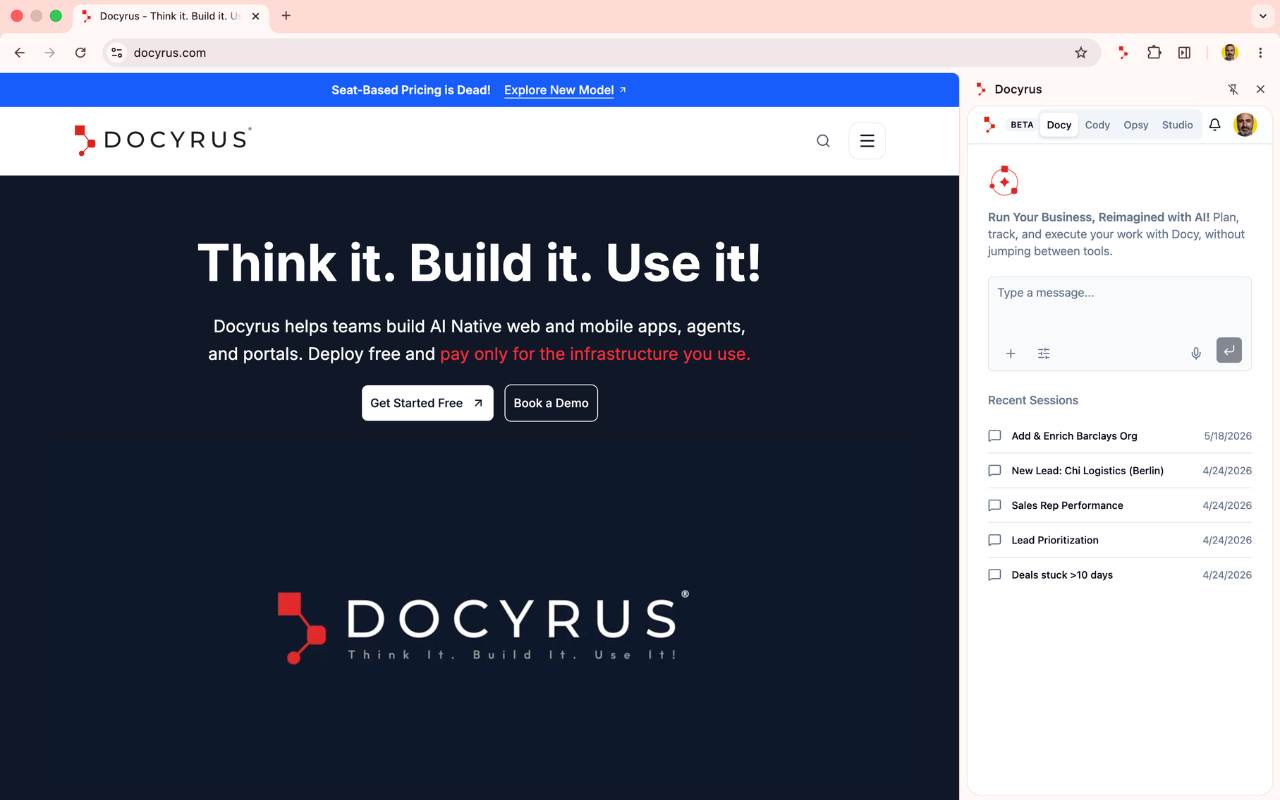
Keep your agents close to the work
Reach your agents faster
Open Docy, Cody, Opsy, and Studio from one browser extension. Keep your AI workspace close to the page, file, or system you are working on.
Work with local files
Use Opsy to work with local files, organize information, and support manual tasks that usually take extra clicks.
Build without breaking flow
Jump into Cody or Studio when an idea becomes an app, interface, workflow, or automation. Move from work to building faster.
Reduce repetitive browser work
Let Opsy help with recurring manual tasks. Cut down copying, checking, organizing, and moving information between tools.
How it works
Install the extension
Add Docyrus Chrome Extension to your browser and sign in with your Docyrus account.
Open your agent
Choose Docy, Cody, Opsy, or Studio from the extension panel.
Work from where you are
Use Docyrus while reviewing pages, working with files, checking systems, or building new workflows.
Who it is for
Docyrus Chrome Extension brings everyday browser-based work closer to your Docyrus workspace.
Operations teams
Handle repeated manual tasks, review files, update information, and move faster across daily workflows.
Product and internal tools teams
Open Cody or Studio when you need to shape an app, dashboard, form, or workflow.
Teams that research in the browser
Open Docy while browsing to ask questions about what you are reading, get quick summaries, and bring relevant context straight into your Docyrus workspace.
Teams using local files
Use Opsy to support file-based work before that information moves into apps, workflows, or reports.
Bring Docyrus into your browser
Access your agents where work already happens. Open Docy, Cody, Opsy, and Studio from Chrome.
Frequently asked questions about Docyrus Chrome Extension
What does the Docyrus Chrome Extension do?+
Docyrus Chrome Extension gives users quick access to Docy, Cody, Opsy, and Studio from Chrome. You can open your AI agents directly from the browser panel and work with data, local files, apps, and repetitive tasks without leaving your current tab.
Who is it for?+
It is for teams that use Docyrus to work with apps, agents, files, workflows, and daily business tasks. Operations teams, business users, product teams, and anyone who works heavily in the browser will find it useful.
Can I use Studio from the extension?+
Yes. The extension gives users a direct way to open Docyrus Studio and continue building apps, agents, portals, workflows, automations, and integrations inside Docyrus without switching to a separate tab.
Do I need a Docyrus account?+
Yes. Users need a Docyrus account to access their agents and workspace through the extension. You can sign in with your existing Docyrus credentials after installing.